How Furniture Brands Use AI-Generated Images on Ecommerce Product Listings
How furniture retailers like FW Style, Furniturebox, NOIR, Bentincks and Maxfurn use AI-generated imagery on ecommerce product listings at catalog scale.
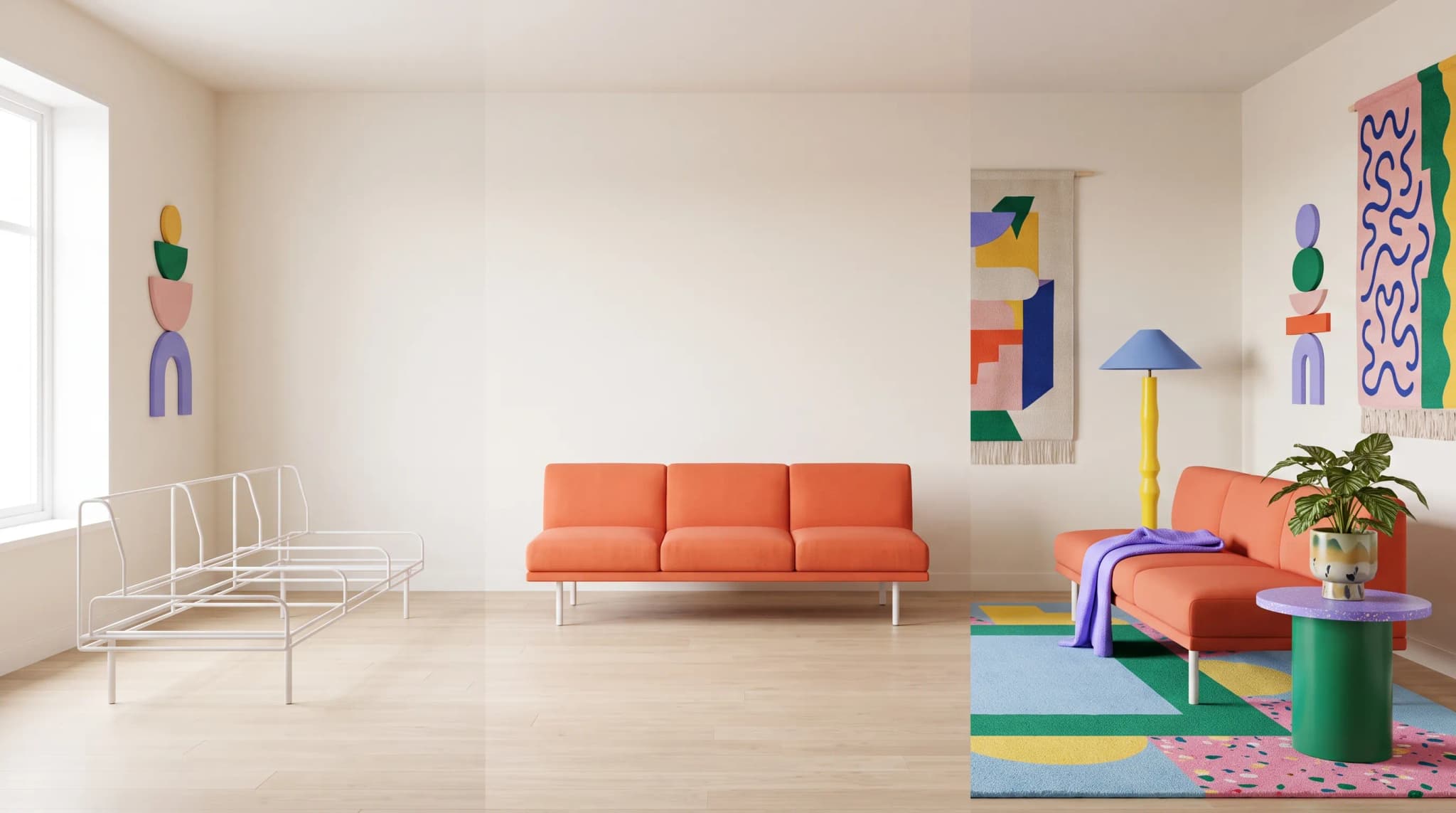
Walk into the photo room of any mid-sized furniture retailer in 2026 and the conversation has changed. The question is no longer whether to use AI-generated imagery on product listings, but how to operationalise it across thousands of SKUs, dozens of fabrics, and a half-dozen sales channels. This is a profile of how brands like FW Style, Furniturebox, NOIR, Bentincks and Maxfurn actually run that workflow, with Furniture Connect sitting in the middle of it.
Why furniture ecommerce listings need AI imagery now
Furniture is the most photography-dependent category in ecommerce. The buyer cannot touch the piece, sit on the sofa, or measure the depth of the seat. Baymard Institute has documented for years that image quality and image variety are among the strongest predictors of add-to-cart rate on furniture PDPs, alongside zoom, scale cues, and in-context lifestyle shots. Google Search Central's product structured-data guidance reinforces this on the discovery side: Merchant Listings reward high-resolution, multi-angle imagery, and missing imagery quietly suppresses surface area in Shopping results.
The operational pressure has compounded. Statista's furniture ecommerce data shows online furniture sales growing at a double-digit clip, while McKinsey's retail reports describe a squeeze on content production teams. Furniture Today coverage of major retailer launches routinely describes catalogs with thousands of variant combinations and a publishing cadence traditional studio photography cannot match.
The brands featured in this piece all hit the same wall: throughput. A retailer like FW Style running a serious Shopify Plus operation across upholstery and casegoods cannot wait six weeks for a fabric library re-shoot. A multi-brand wholesale operator like Bentincks cannot ask every supplier to deliver consistently lit lifestyle imagery. The answer has been to move the imagery pipeline out of the studio and into software.
The guide to showroom-quality virtual furniture photography explains why consistency across the range matters as much as an individual hero image.
The product-listing workflow: from cutout to channel-ready image
The most useful way to understand how AI-generated imagery actually lands on a furniture PDP is to walk the asset's life cycle. The shape is consistent across the brands we work with, even when the channel mix differs.
| Stage | What happens | Who owns it |
|---|---|---|
| Ingest | Supplier photo, 3D render, or studio shot enters the DAM | Merchandising / supplier ops |
| Clean | Background removal, perspective correction, shadow fix via Studio | Content team |
| Generate | Lifestyle scenes, variant swaps, channel crops | Content team + AI workflow |
| Govern | Specs, dimensions, copy linked through the PIM | Merch + ecommerce ops |
| Publish | Channel-specific exports to Shopify, Amazon, wholesale portals | Ecommerce ops |
Furniture Connect sits across the middle three stages. It is not a generic image generator; it is a furniture-specific workflow that pairs background cleanup, lifestyle scene composition, and variant rendering with the catalog metadata that already lives in the PIM. Under the hood it uses a mix of underlying AI models with intelligent routing, choosing the right model for the asset type rather than asking the merchandiser to make that decision.
A team like Furniturebox, which moves quickly on trend-led upholstery, uses this pipeline to compress what used to be a three-week shoot cycle into a same-week publish. The cleaned packshot enters on Monday, the lifestyle set is generated and reviewed by Wednesday, and the variant grid is on the PDP by Friday. The full operational story is in the case studies index.
Lifestyle imagery: how furniture brands generate room scenes at catalog scale
Lifestyle imagery used to be the single most expensive line item in a furniture content budget. A set build for a modular sofa range could run into five figures before the first frame was shot, and the resulting library was frozen for a season. Catalog-scale AI-generated lifestyle imagery has changed the economics, but only when the workflow respects the constraints of the category.
The brands doing this well share three habits.
First, they treat the cutout as the source of truth. The piece is photographed or rendered once, cleanly, and then placed into generated environments. This protects material fidelity, which is where most generic AI tools fail on furniture. Our deep-dive on AI versus real photography walks through why this matters for wood grain, performance fabrics, and metal finishes.
Second, they brief by room archetype, not by prompt. A retailer like NOIR, working with hand-finished casegoods and a defined aesthetic, does not want a different living room every time. They want a small, controlled library of brand-consistent room sets that any new SKU can drop into. Furniture Connect's scene system is built for this: scenes are reusable, versioned, and brand-locked, so the lifestyle library compounds rather than drifting.
Third, they generate alternates rather than singletons. A sofa appears in a bright loft, a darker traditional living room, and a Scandi-leaning minimal scene, all from the same source asset. Shopify Plus's furniture vertical guidance is explicit that PDPs with three or more lifestyle scenes outperform single-scene PDPs on conversion. The cost of generating those alternates with AI is effectively the cost of the prompt, which is why this has become standard practice for brands like Gabriella White and Upstairs Downstairs working across multiple aesthetic ranges.
The savings show up most clearly when you put a number on the avoided shoot. The savings calculator is the easiest way to model your own catalog, but as a rule of thumb, a brand publishing 200 new SKUs per quarter with three lifestyle scenes each avoids roughly 600 studio shots a quarter.
The companion guide to the catalog-scale lifestyle imagery workflow explains how to organize those briefs, scenes and approvals.
Variant images: fabric, finish, and configuration without re-shoots
Variant imagery is where ecommerce furniture catalogs quietly drown. A single sofa frame in eight fabrics and three leg finishes is twenty-four images. A modular range with the same options across four configurations is ninety-six. Multiply by a few hundred SKUs and the maths becomes impossible for a studio.
The brands using AI well on variant imagery treat the variant grid as a derivative of the master asset, not a separate shoot. The workflow looks like this:
- The master SKU is photographed or rendered in a single neutral configuration, cleanly cut out.
- Fabric and finish swatches are uploaded to the DAM as a controlled library with calibrated color and material references.
- The variant images are generated by applying swatches to the master, preserving geometry, shadows, and proportions.
- The full variant grid is linked back to the PIM record so the PDP swatch picker renders the right image when a shopper changes fabric.
This is the workflow Furniturebox runs across its upholstery range, and it is the workflow Maxfurn uses to keep a multi-supplier catalog visually coherent. The full operator perspective is in the case studies. Two non-obvious points are worth flagging.
The first is material fidelity. Generic AI image tools tend to hallucinate fabric weave, smooth out boucle, or flatten the sheen on a performance velvet. A furniture-specific pipeline has to preserve those material cues, which is why Furniture Connect's variant workflow is anchored on the swatch library rather than on free-text prompting. The uncanny valley furniture renders piece explores the failure modes in detail.
The second is proportion. A wing chair and a club chair are not the same chair with different upholstery. The variant generator has to respect the silhouette of the original piece, which means the input must be a clean cutout of the actual SKU, not a generated approximation. This is one of the operational reasons brands move to a furniture-specific platform: the constraint of starting from the real piece is built into the workflow rather than left to the operator to enforce.
Material and proportion fidelity on ecommerce PDPs
The single biggest failure mode of AI imagery on furniture PDPs is the subtle one: the sofa looks like a sofa, but the proportions are off by ten percent. Cushions are slightly too plump. Wood grain runs in the wrong direction. A shopper might not consciously notice, but return rates climb and review sentiment softens.
Furniture Connect is built around the assumption that the input asset defines the truth. The piece is photographed or rendered once, accurately, and every downstream asset, whether a lifestyle scene, a variant swap, or a channel crop, is composed on top of that source. This is the operational difference between a generic image generator and a furniture-specific workflow. The anatomy of a perfect product listing breaks down the listing-level expectations that flow from this discipline, and the product staging guide covers the in-scene composition rules.
For brands selling at premium price points, like NOIR or Gabriella White, this is not a nice-to-have. A casegoods piece with subtly wrong proportions on the PDP undermines the brand's claim to craft. The brands that have rolled out AI imagery confidently at premium price points are the ones that anchored the workflow on real source assets and accepted the small additional cost of a clean cutout as the price of admission.
A short table on where fidelity tends to fail and how a furniture-specific workflow protects it:
| Failure mode | Where it shows up | Workflow guardrail |
|---|---|---|
| Fabric weave drift | Variant swaps on upholstery | Calibrated swatch library, not free-text prompts |
| Wood grain hallucination | Casegoods in lifestyle scenes | Real source render or photograph as the input |
| Proportion drift | Modular configurations | Geometry locked from master SKU |
| Lighting mismatch | Multi-scene PDPs | Brand-locked scene library, reused across SKUs |
| Shadow inconsistency | Channel crops | Generated shadow pass per scene, not per crop |
Channel delivery: keeping imagery consistent across Shopify, Amazon, wholesale
Once the assets exist, the next operational question is how they get to the channel. A retailer like FW Style, publishing across its own Shopify Plus store, Amazon, and a network of wholesale portals, cannot afford to manage three parallel image libraries. The PDP image, the Amazon main image, and the wholesale line-sheet image are different crops of the same underlying asset, governed by different specs.
Google Search Central's structured-data guidance and BigCommerce's image specifications lay out the channel-by-channel requirements: minimum resolution, aspect ratio, background color, margin, file format. The Amazon main image rule (pure white background, ninety percent frame fill, no props) is the strictest, and is often the binding constraint on the asset library.
The workflow that scales is one where the master asset and its lifestyle alternates live in a DAM, the channel-specific exports are generated automatically against per-channel specs, and the PIM governs which image goes to which channel at which size. Furniture Connect handles this as a single pipeline: the same asset that produces the lifestyle PDP image produces the Amazon main image and the wholesale line-sheet thumbnail, with the right crop, margin, and background for each.
For a wholesale-heavy operator like Bentincks, this is the difference between supplying customers with a tidy, channel-ready asset pack and asking each retail partner to do their own cleanup. The full operational picture is in the case studies.
What the rollout typically looks like for a furniture brand
The brands profiled here did not switch on AI imagery overnight. The rollout has a recognisable shape, and getting it right is more about sequencing than about picking a tool.
The first phase is usually a contained pilot on a single range. The team picks twenty to fifty SKUs, runs the full cutout-to-channel workflow end to end, and compares the output to the existing studio library. This is where material fidelity, proportion accuracy, and brand consistency get tested. A pilot on a range like Furniturebox's upholstery line, or a single casegoods collection at NOIR, gives the team a concrete artefact to evaluate.
The second phase is library backfill. Once the pilot proves out, the team works backwards through the existing catalog, generating lifestyle alternates and variant grids for SKUs that were previously under-imaged. This is often the fastest ROI: SKUs that had one image now have six, and the conversion lift on those PDPs is measurable. The savings calculator is useful here for sizing the avoided studio cost.
The third phase is ongoing publishing. New SKUs flow through the AI pipeline by default, with studio photography reserved for hero campaigns and brand films. A retailer like Maxfurn, operating across a wide casegoods and upholstery range, sits in this phase: AI imagery is the default content path, and the studio is the operational hub the merchandising team works in.
The pricing question usually resolves itself once the team has a sense of throughput. The pricing page lays out the platform tiers, but the practical answer is that a brand publishing more than a few hundred new SKUs a quarter recovers the platform cost in avoided studio spend within a single quarter. The savings calculator is the easiest way to model this for your own catalog.
For brands that want to walk the workflow end to end before committing, the request a demo flow runs through a real catalog scenario with the Furniture Connect team.
For wholesale lookbooks and dealer portals, adapt the rollout using the guide to AI furniture images for showroom catalogs.
Where to go deeper
The full operator stories from the brands profiled here, including FW Style, Bentincks, Furniturebox, NOIR, Gabriella White, Maxfurn, and Upstairs Downstairs, are in the case studies index. Each case study walks the situation, the trigger, the evaluation, and the operational result in the brand's own terms.
For the technical and editorial pieces that sit behind this workflow:
- AI versus real photography for furniture on when each modality wins.
- The uncanny valley in furniture renders on the failure modes that erode trust on PDPs.
- The anatomy of a perfect product listing on the listing-level expectations that flow from a clean asset pipeline.
- The guide to product staging on in-scene composition for furniture.
- The guide to background removal on the cutout discipline that everything else depends on.
The pattern across every brand profiled is the same: AI-generated imagery on ecommerce product listings is no longer experimental. It is the default path, and the brands that operationalised it first publish more SKUs, in more configurations, across more channels, with smaller content teams.
Frequently asked questions
How do furniture brands use AI-generated images on product listings?
They walk each asset through a five-stage pipeline. A supplier photo, 3D render or studio shot is ingested into a DAM; it's cleaned with background removal, perspective correction and shadow fixes; lifestyle scenes, variant swaps and channel crops are generated; specs, dimensions and copy are linked through the PIM; and channel-specific exports go to Shopify, Amazon and wholesale portals. The clean cutout of the real piece is treated as the source of truth for everything downstream.
How do furniture retailers generate lifestyle room scenes at catalog scale?
Three habits show up in the brands doing it well. They treat the cutout as the source of truth, photographing or rendering the piece once and placing it into generated environments, which protects material fidelity. They brief by room archetype rather than by prompt, keeping a small, reusable, brand-locked library of room sets that any new SKU can drop into. And they generate alternates, not singletons: the same sofa in a bright loft, a darker traditional room and a minimal Scandi scene.
How do you create fabric and finish variant images without re-shooting furniture?
Treat the variant grid as a derivative of a master asset. Photograph or render the master SKU once in a neutral configuration and cut it out cleanly. Upload fabric and finish swatches to the DAM as a controlled library with calibrated color references. Generate variants by applying swatches to the master while preserving geometry, shadows and proportions. Then link the grid back to the PIM record so the swatch picker shows the right image. A sofa in eight fabrics and three leg finishes is 24 images from one shoot.
How do furniture brands keep AI images consistent across Shopify, Amazon and wholesale channels?
By keeping one master asset and its lifestyle alternates in a DAM, generating channel-specific exports automatically against per-channel specs, and letting the PIM govern which image goes to which channel at which size. Each channel wants a different crop of the same asset: minimum resolution, aspect ratio, background, margin and format all vary, and Amazon's main-image rule of a pure white background with 90 percent frame fill and no props is usually the binding constraint on the whole library.