The Best AI for Furniture in 2026, Compared by Job
The best AI for furniture depends on the job: design and concepts, 3D and CAD, room planning, configuration, product imagery, catalog data, pricing and recommendations. Here's the best fit for each in 2026, and where Furniture Connect fits.
"What's the best AI for furniture?" gets a different answer from a designer sketching a new dining chair, a manufacturer launching 14 fabrics, a retailer onboarding a supplier range with one photo per product, and a merchandiser deciding next season's prices. They aren't disagreeing about quality. They're doing different jobs.
So this guide answers by job. Find the row that matches your problem, then read the short section behind it.
The best AI for furniture, by job
| Job | Best fit in 2026 | Examples | Watch out for |
|---|---|---|---|
| Concept and mood imagery | General AI image generators | Midjourney, ChatGPT, Google Gemini | No product accuracy: dimensions, hardware and leg counts change between images |
| Designing the product (3D and CAD) | 3D and CAD tools with AI assists | SketchUp with SketchUp AI | AI renders are for presentation; the model stays the source of truth |
| Room planning and interior design | AI-assisted home design tools | Planner 5D | Library furniture is generic unless you import your own 3D models |
| Customization and configuration for shoppers | 3D configurators and visual CPQ | VividWorks, Cylindo, Intiaro | Needs a 3D asset per product and clean option rules |
| Product imagery for ecommerce and catalogs | Furniture-specific AI imagery platforms | Furniture Connect; general editors such as Photoroom | Every image needs review against the real product |
| Catalog data (PIM) | Product information systems | Furniture Connect Agentic Catalog, Akeneo, Pimcore, inriver, Salsify, Plytix | Variant structure and materials need to be real data, not text |
| Pricing analytics | Price intelligence and repricing tools | e.g. Prisync | Only as good as your competitor matching and margin rules |
| Product recommendations | Your ecommerce platform's recommendation features | e.g. Shopify's Search & Discovery app | Weak attributes and variants mean weak recommendations |
What's the best AI for furniture design on the market?
For furniture design, the best AI depends on which stage of design you're in.
Concept and mood. General image generators are the fastest way to explore 20 silhouettes in an afternoon. Midjourney is the usual pick: plans run from $10 to $120 a month, and its terms require companies with more than $1 million in annual revenue to use the Pro or Mega plan. The limit is accuracy. The walnut credenza in the image isn't your walnut credenza, so keep these tools for mood boards, pitch decks and range direction, not for anything a buyer will order from.
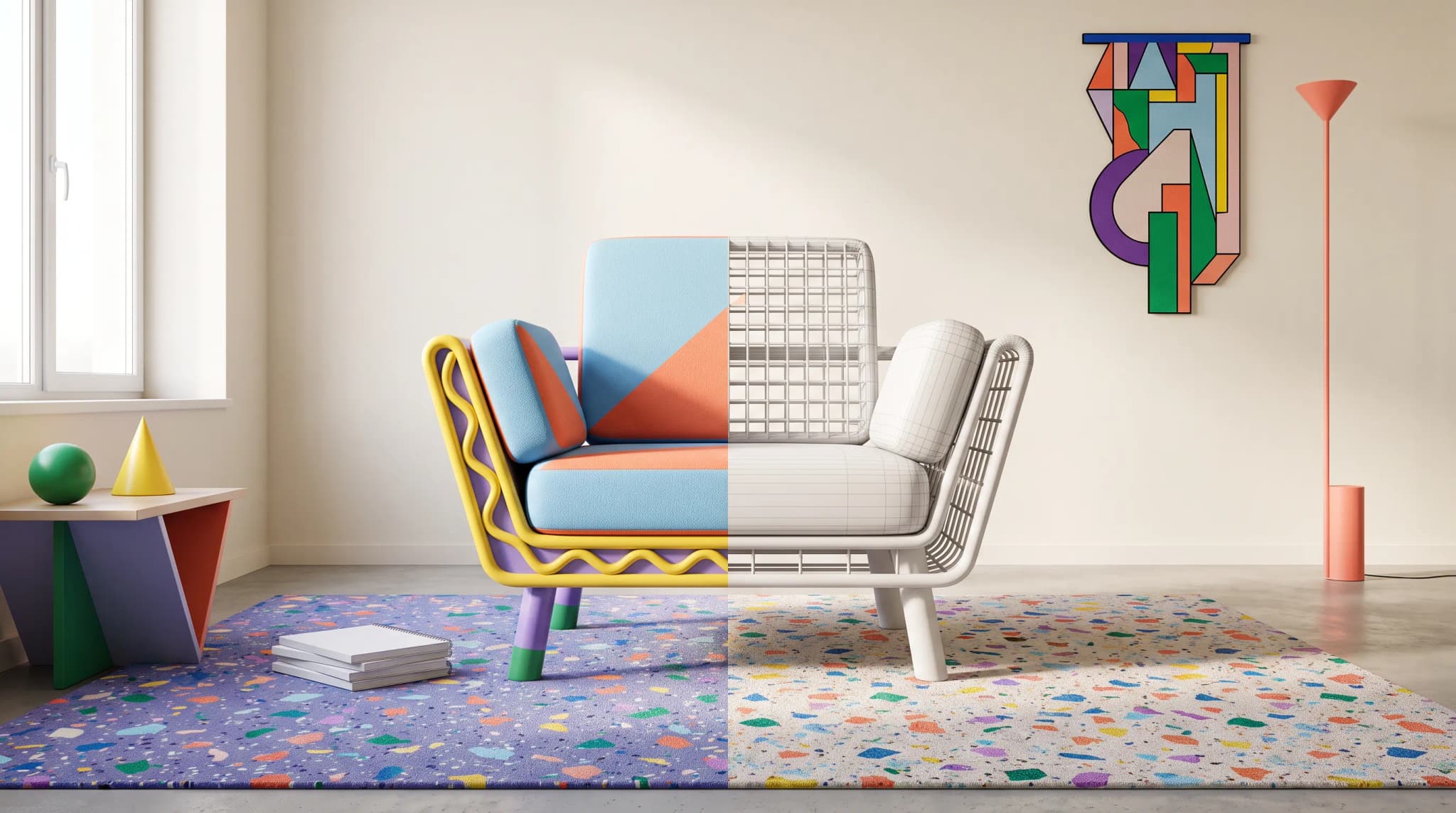
Designing the piece. When dimensions and joinery matter, the work belongs in 3D and CAD. SketchUp, from Trimble, now sells SketchUp AI with AI Render, which combines a SketchUp model with a text prompt or preset styles to produce presentation images in seconds. The model stays the source of truth; the AI makes it presentable. We compare that category with catalog imagery in Furniture Connect vs CAD tools.
Room planning. Planner 5D is a 2D and 3D home design tool for homeowners and design professionals, with AI floor plan recognition and a library of more than 8,000 items. It's built for "what could this room look like", and its library furniture is generic unless you import your own 3D models.
Furniture Connect isn't a furniture design tool. It comes in once the product exists, to show it accurately in rooms, fabrics and finishes.
Which is the best furniture AI software for design and customization?
Customization splits into two jobs: letting a shopper configure a product, and showing every configuration accurately.
- Configuration. 3D configurators let a buyer change fabric, size and finish and see the result in real time. VividWorks combines 3D configuration with visual CPQ (configure, price, quote) and publishes plans from €447 a month for its 3D product configurator. Cylindo describes itself as an AI visual commerce platform for furniture brands, and Intiaro as the furniture industry's visual commerce platform. All three depend on a good 3D asset for each product.
- Showing every option without a shoot. If you sell a sofa in 20 fabrics, you need 20 accurate images whether or not you run a configurator. Furniture Connect's fabric swaps render an approved product photo in a new cover from a swatch, or from a material or finish in your library, so the colorways exist before anyone books a studio.
Our evaluation framework for furniture AI software has the questions to ask any vendor in this category.
What's the best furniture AI platform for retailers?
For retailers, the best furniture AI platform is the one that gets more of each supplier range live, accurately and sooner. That usually comes down to three jobs:
- Listing imagery for supplier ranges. Suppliers often send one white-background photo for a product sold in several fabrics. Barker and Stonehouse describes exactly that, and now turns those photos into consistent product imagery and lifestyle scenes in every fabric and finish, at about 30 seconds per image.
- Supplier data that's ready to list. The catalog has to hold each product, its sellable variants, dimensions and materials, and show what each channel is still missing. Our guide to product information systems for furniture compares the options.
- Visualization for considered purchases. Configurators for configurable ranges, and room scenes for everything else. FW Style reports sales conversions up 30% after moving its product imagery to Furniture Connect.
Furniture Connect covers the first two and the room-scene half of the third. It becomes most useful from roughly 200 SKUs or more than two sales channels.
What's the best AI for furniture imagery?
For imagery of real products, the best AI is one built around the SKU rather than the prompt. Furniture Connect places your approved product photo into a room scene, renders fabric and finish variants from a swatch or library material, removes backgrounds, upscales to 4K and runs edits across up to 100 images per batch. A Quality-mode image costs roughly $1.00 to $1.30 on the published Studio plans.
General ecommerce editors are good at different things. Photoroom, for example, is strong at background removal and quick edits across every category, with batch editing of up to 250 images and plans from $12.99 a month.
Whichever you use, keep photography or CGI for hero and detail shots, review every generated image against the real product, and confirm which variant an image shows before it's linked. Why AI furniture images turn inconsistent at catalog scale explains how to keep a whole range consistent.
Can AI do furniture pricing analytics and product recommendations?
Yes, but those are different tools, and Furniture Connect doesn't do either.
- Pricing analytics. Price intelligence tools track competitors' prices and stock, and can reprice by rules you set. Prisync, for example, offers competitor tracking with rule-based repricing from $99 a month. For furniture, the hard part is matching: a "similar" sofa from another retailer is rarely the same size, cover grade and lead time.
- Recommendations. Most ecommerce platforms include recommendation features. Shopify's Search & Discovery app, for example, lets merchants add related products on product pages alongside automatic recommendations.
What both have in common is that they run on product data. If your catalog doesn't record dimensions, materials and variants as structured fields, recommendations default to "people also viewed", and AI shopping assistants have little to work with. Why most furniture catalogs aren't ready for AI shopping agents covers that data.
What can AI not do yet?
Honest limits, as of 2026:
- Guarantee accuracy. Generated images and AI-filled product data both need a person to check them before they go live.
- Replace engineering CAD. AI renders a model; it doesn't produce manufacturable drawings.
- Fill missing facts reliably. When a record lacks a dimension or a fabric composition, AI guesses, and guesses differ from image to image.
- Decide variant links on its own. Which image belongs to which sellable variant needs confirmation.
- Make commercial calls. Pricing, assortment and approval decisions stay with the people accountable for them.
Which jobs matter for which furniture business
| Business | Primary jobs | Secondary jobs |
|---|---|---|
| Residential designer | Concept imagery, room planning | Configuration |
| Small ecommerce brand | Product imagery, catalog data | Concept imagery, configuration |
| Manufacturer with a dealer network | Product imagery, catalog data, configuration | 3D and CAD |
| Contract or hospitality supplier | 3D and CAD, catalog data, product imagery | Configuration |
| Retailer or marketplace | Catalog data, product imagery | Recommendations, pricing analytics |
The further into B2B and scale a business goes, the more weight shifts to product imagery and catalog data, because every other job, from configurators to recommendations, reads from the same product record.
Frequently asked questions
What is the best AI for furniture design?
For concepts and mood, a general image generator such as Midjourney is the fastest way to explore silhouettes and styles, but it knows nothing about your actual product. For designing the piece itself, 3D and CAD tools such as SketchUp, which now adds AI rendering from a model and a text prompt, keep dimensions true. For room layouts, Planner 5D is a popular home design tool with AI floor plan recognition. Furniture Connect isn't a design tool; it creates product imagery and catalog data once the product exists.
What is the best AI for furniture imagery?
For catalog and ecommerce imagery of real products, a furniture-specific platform such as Furniture Connect: it places your approved product photos into room scenes, renders fabric and finish variants from a swatch, and batches the work across a range, at roughly $1.00 to $1.30 per Quality-mode image on its published plans. General ecommerce editors such as Photoroom are strong for background removal and quick edits across categories. Keep photography or CGI for hero and detail shots, and review every generated image against the real product.
Which AI tools suit retailers?
Match the tool to the job. Retailers typically need AI for listing imagery on supplier ranges that arrive with one photo, for structuring and filling supplier product data, for configurators on customizable ranges, and for pricing and recommendations from their ecommerce or pricing stack. Furniture Connect covers the first two; configurator vendors such as VividWorks, Cylindo and Intiaro cover the third; price intelligence tools and your platform's recommendation features cover the last.
What can AI not do yet?
It can't guarantee accuracy without a person checking it: generated images and AI-filled product data both need review before they go live. It can't replace engineering CAD, invent missing dimensions or materials reliably, or decide which image belongs to which variant without confirmation. And recommendation or pricing AI is only as good as the product data and sales history behind it, so incomplete catalogs produce weak results.
If imagery and catalog data are your jobs, book a demo and bring one product line to test.
Sources
- Midjourney: Comparing plans, plan prices and commercial terms.
- AEC Magazine: Trimble introduces SketchUp AI (December 2025).
- Planner 5D, product description and AI features.
- VividWorks: Pricing and 3D CPQ; Cylindo; Intiaro.
- Photoroom: Pricing and batch mode.
- Prisync, price tracking and repricing.
- Shopify Help Center: Search & Discovery app.